how to tailor your resume to a job description in 4 steps
A job description and a job post are the same thing. This guide calls it a job post. Start with your master list and one job post.
You tailor a resume to one job at a time. Each job post asks for different tasks, so each resume puts different bullets first.
Before you start, list every job, task and number you have in one doc. This is your master list. Write down what you did, how many and how often, even the small stuff you think nobody cares about.
Maya Torres, our example reader, is a shift lead in Fresno. Here is her master list from her two jobs (example):
- Makes the weekly schedule for 22 people across 2 shifts. Overtime went down 30% in 6 months.
- Counts 1,800 SKUs every week. Shrink went from 2.1% to 1.4% in one year.
- Checks in deliveries 3 days a week. Calls 6 vendors when a delivery is short or damaged.
- Makes the store's daily sales and labor report in Google Sheets.
- Has trained 14 new hires on opening, closing and safety.
- Speaks Spanish at home and with customers.
- Warehouse job: checked in 20+ trucks a week.
- Warehouse job: picked 150+ orders per shift at 99.5% accuracy.
Maya wants the job below. This guide uses it from start to finish.
Operations Coordinator · Valley Supply Co. (example job post)
Keep our warehouse and delivery operation running smoothly. Build and manage staff schedules for a team of 25, track inventory levels and run cycle counts, receive inbound shipments and resolve discrepancies with vendors, and keep reporting up to date in Google Sheets. Train new team members on processes and safety. 2+ years in retail, hospitality, warehouse, or operations. Spanish a plus.
Copy the full job post into a doc too. Job posts get taken down, and you will need the text again for the interview.
step 1: pull the keywords from the job post
Keywords are the tasks, tools and skills the job post names. Read the job post twice, and on the second read, mark every task, tool and skill.
Then decide where each keyword goes: the summary, a bullet or the skills list.
| Keywords | What it is | Where it goes on your resume |
|---|---|---|
| staff schedules, team of 25 | main task | summary + first bullet |
| inventory levels, cycle counts | main task | summary + a bullet |
| inbound shipments, discrepancies with vendors | main task | summary + a bullet |
| Google Sheets, reporting | tool | summary + a bullet + skills list |
| train new team members, safety | task | a bullet + skills list |
| Spanish | bonus skill | summary + skills list |
| 2+ years in retail or warehouse | must-have | your dates show it |
In this job post, schedules and inventory come first. So Maya puts her schedule and inventory bullets first on her resume.
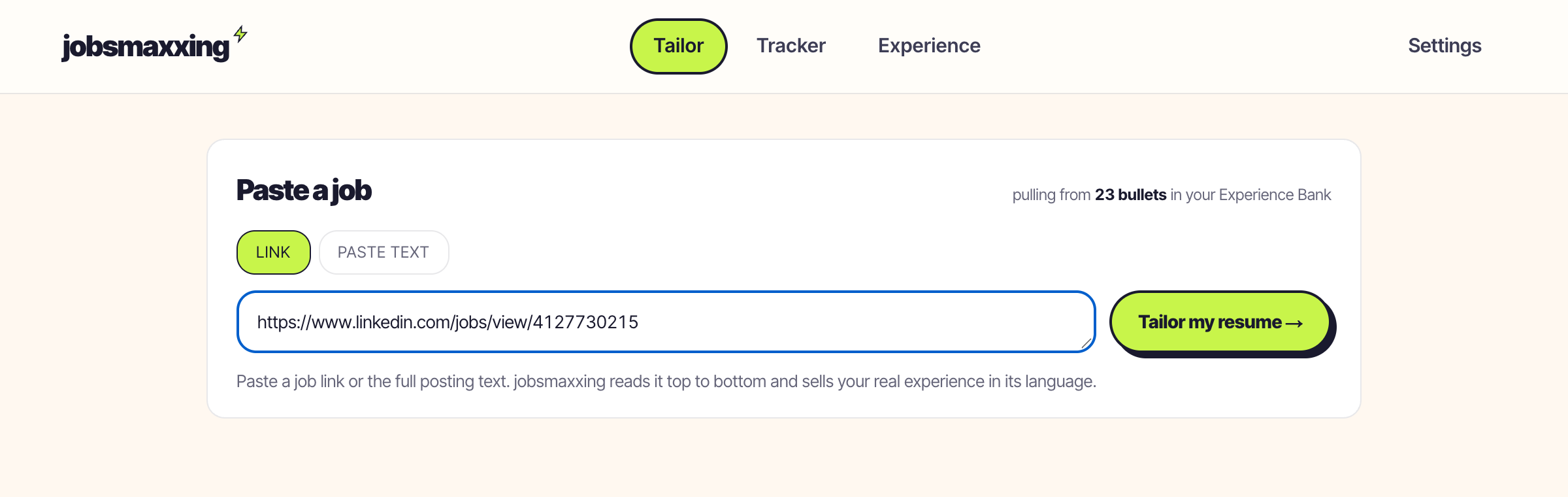
have a resume? tailor it to a job in under a minute.
start nowWant to check you did not miss a keyword? Search the job title on O*NET OnLine. The U.S. Department of Labor sponsors it, and each job page lists the tasks, tools and skills for that title.
step 2: match each keyword to a line in your master list
Go down the keywords one at a time and find the line in your master list that shows you did it. For Maya, "staff schedules" matches her weekly schedule line, and "cycle counts" matches her 1,800 SKU line.
Two rules for this step:
- Keep your real number. The job post says a team of 25, but Maya's team is 22, so she writes 22. A team of 22 still matches the job, while a fake 25 can cost you the job if they check.
- Skip what you do not have. If the job post asked for forklift certification and Maya had none, she would leave it out. She would put her strong matches first instead.
step 3: rewrite the summary and top bullets in the job post's words
Use the job post's exact words when they describe what you really did. Maya's master list says she "makes the weekly schedule," and the job post says "build and manage staff schedules." The work is the same. Only the words change.
| Before (generic) | After (tailored to this job post) |
|---|---|
| Made the weekly schedule. | Build and manage weekly staff schedules for a team of 22 across 2 shifts. Cut overtime hours 30% in 6 months. |
| Helped with inventory. | Run weekly cycle counts on 1,800 SKUs and track inventory levels. Cut shrink from 2.1% to 1.4% in one year. |
| (not on her old resume; master list: "Checks in deliveries 3 days a week") | Receive inbound shipments 3 days a week and resolve discrepancies with 6 vendors. |
| Trained new hires. | Train new team members on opening, closing and safety processes (14 trained to date). |
Each after bullet uses the job post's keywords and names a number, and the top 2 also say what changed.
Then rewrite your summary in 2 to 3 sentences, about 25 to 50 words. Leave out "I," and say what you did, not what you want. Here is Maya's summary (example):
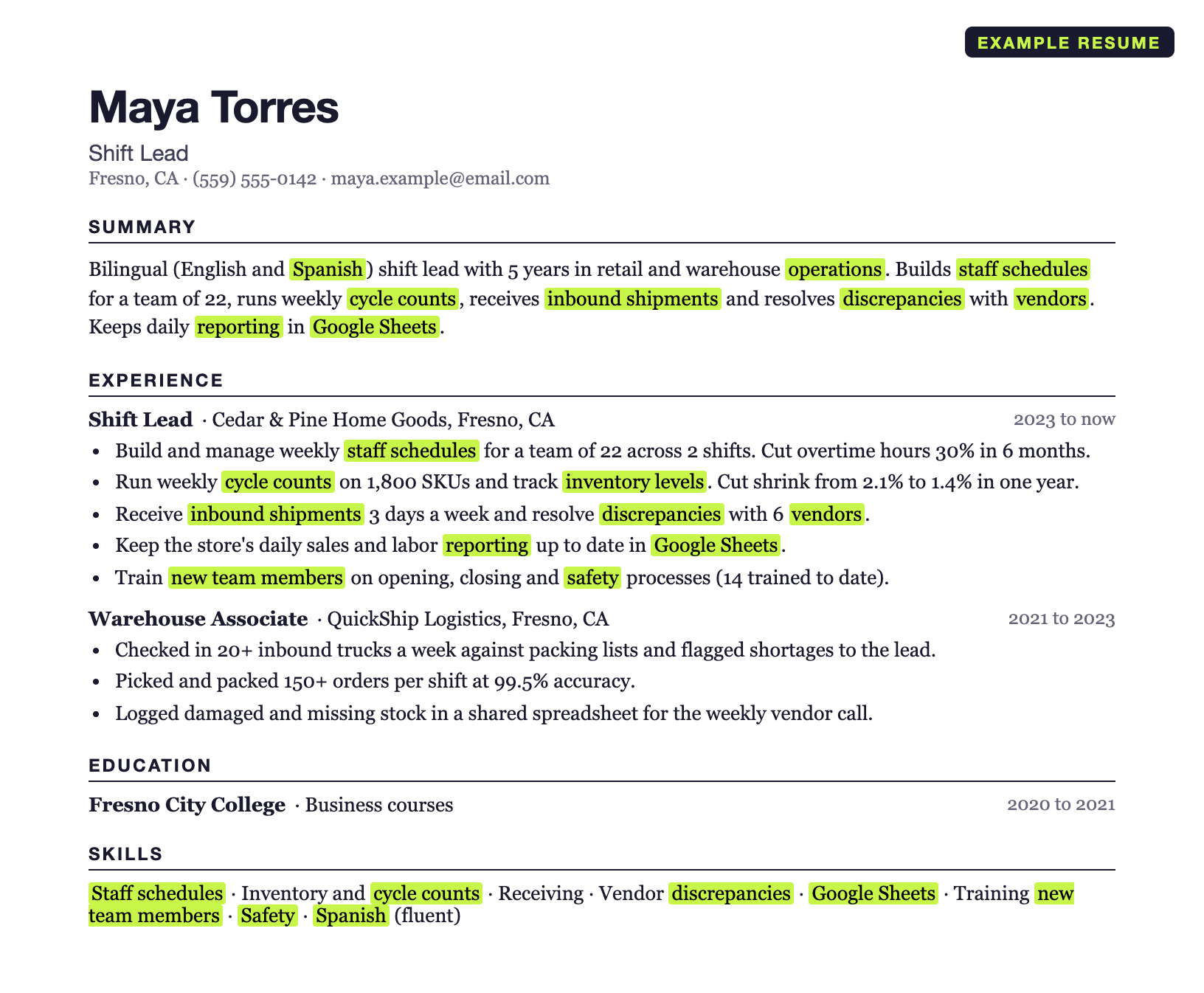
Bilingual (English and Spanish) shift lead with 5 years in retail and warehouse operations. Builds staff schedules for a team of 22, runs weekly cycle counts, receives inbound shipments and resolves discrepancies with vendors. Keeps daily reporting in Google Sheets.
Why name Spanish? The job post asks for it. The title stays "shift lead" because Maya has never held the operations coordinator title. Keep your real job titles in the experience section. In the summary you may use the job post's title only if you did that work.
For more summary lines, see professional summary examples.
step 4: reorder and cut to one page
A recruiter reads the top of the page first. That is where your best matches go.
- Lead your most recent job with the bullet for the job post's first task (for Maya, the staff schedules bullet).
- Cut every bullet that matches no task. Maya cut two: "kept the store clean" and "handled customer complaints."
- List 6 to 10 skills: the ones the job post names first, then your other strongest hard skills. "Hard worker" and "teamwork" become "staff schedules" and "cycle counts."
- Fix the tools. Maya wrote "Microsoft Office," but she used Google Sheets, and the job post names Google Sheets. So she says Google Sheets.
- If it still runs over one page, cut bullets from your oldest job first.
the before and after resume
Maya kept her two jobs, her titles and her dates. She added her real numbers, used the job post's keywords and moved the schedule and inventory bullets to the top.
The after resume is the example at the top of this page. Here is the before:
Maya Torres · Shift Lead Fresno, CA · (559) 555-0142 · maya.example@email.com Hard-working team player with retail and warehouse experience. Good with customers, fast to learn new tasks and happy to help wherever the store needs it. Shift Lead · Cedar & Pine Home Goods, Fresno, CA · 2023 to now Warehouse Associate · QuickShip Logistics, Fresno, CA · 2021 to 2023 Fresno City College · Business courses · 2020 to 2021 Customer service · Teamwork · Microsoft Office · Bilingual · Hard worker · Problem solving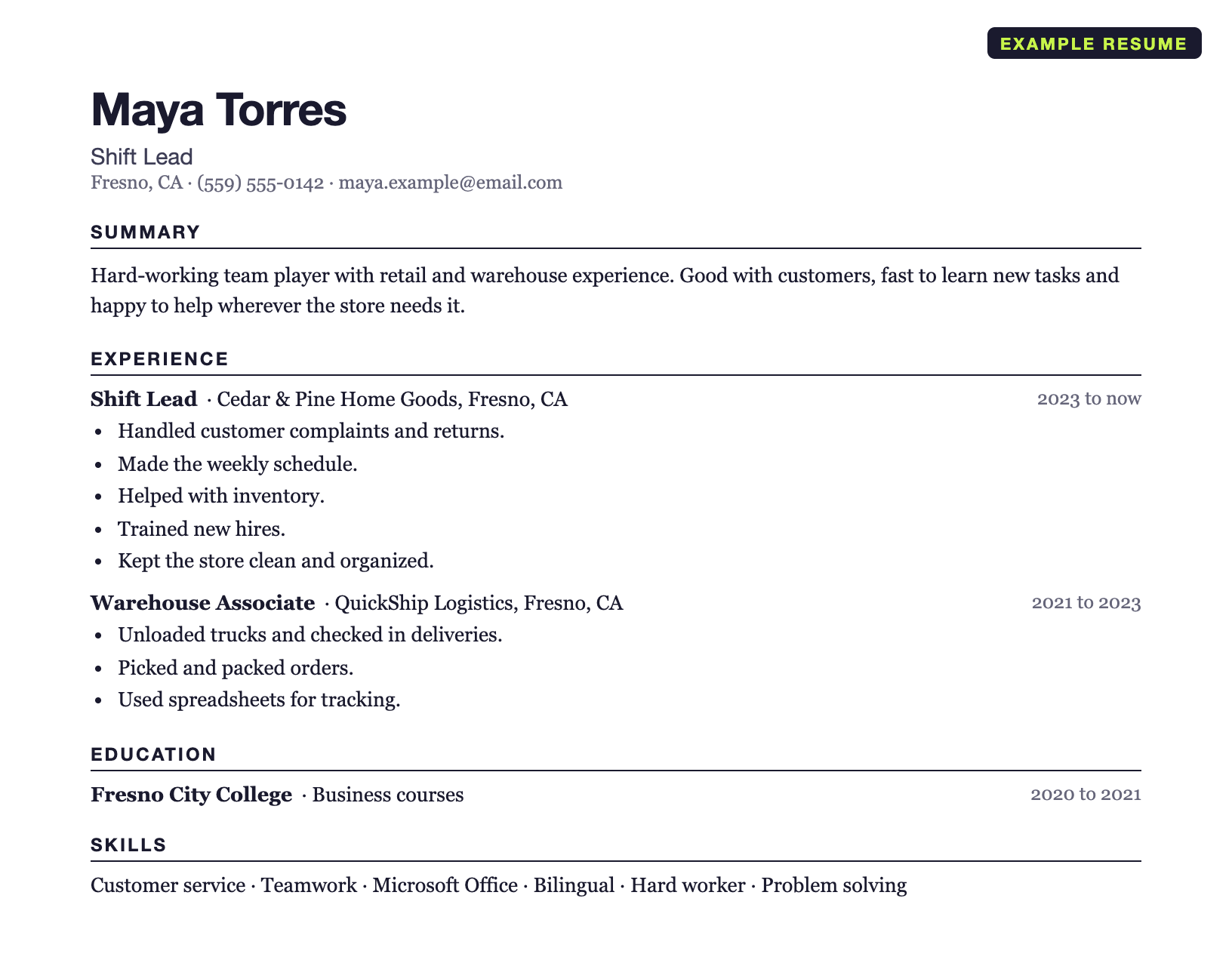
read this example resume as text
summary
experience
education
skills
Every lime word on the after resume is a keyword from the job post. Every number comes from Maya's master list.
how to use keywords
A recruiter scans the page for the job post's keywords. Some hiring systems let recruiters search for these words.
- Use the exact phrase. "Cycle counts" is better than "inventory audits" when the job post says cycle counts.
- Put each keyword in a bullet that names a number or a result. A keyword that sits only in the skills list tells the recruiter nothing about what you did.
- Use each keyword once in a bullet. Repeat it in the summary or skills list only if it is a main task.
- Do not paste the job post in white text or in tiny font. A person reads the final page, and hidden text looks like a trick.
- Do not claim a keyword you cannot talk about for 2 minutes in an interview.
For the hard skills to list for jobs like this one, see skills to put on a resume.
do it for every job without starting over
Keep your master list up to date. For each new job post, copy your master list and move the matching bullets to the top. Then rewrite your top 4 or 5 bullets in the job post's words.
To get a ChatGPT draft first, use this ChatGPT prompt to tailor a resume. Check every number it writes against your master list.
To skip the manual work, tailor your resume to a job description with jobsmaxxing. It tailors a resume you already have to one job. It does not write a resume from zero. Upload your resume once. Every job and bullet goes into your Experience Bank. Paste any job link (LinkedIn job links work) or the job post text. You get a one-page resume rewritten for that job from your real experience, in under a minute. It does not invent titles, dates or numbers. $9.99 for the first 7 days, then $29/month. No free tier.